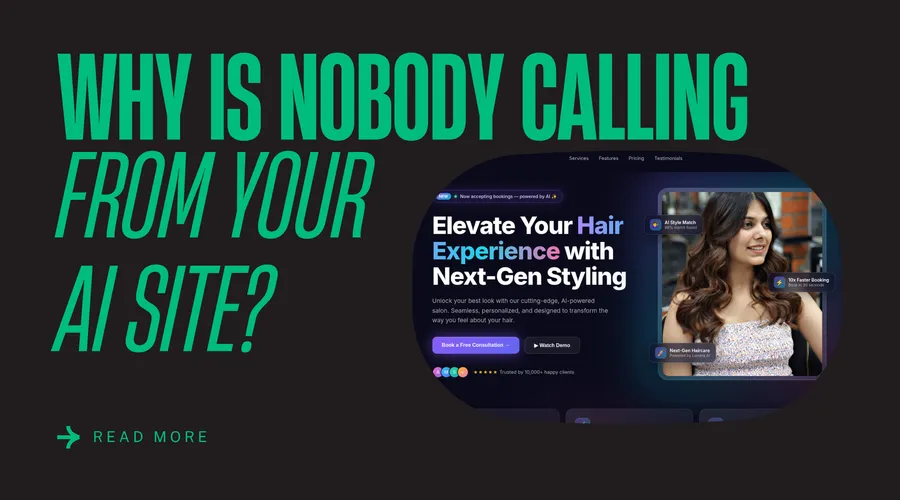
Open five sites made with AI tools and you will see the same page five times. A centred headline, a gradient behind it, three feature cards in a row, a testimonial strip, a final call to action. Nothing is wrong with any single piece. The problem is that none of it came from your business.
Visitors cannot name the pattern, but they feel it. A generic site tells them the business did not put much thought into how it presents itself.
These are the ten changes I make first.
1. Replace the default font
Most generated sites use the font the template shipped with, often Inter. Choose one typeface with some character for headings, and keep a plain, readable one for body text. Two fonts is enough.
2. Cut the colour palette down
AI output loves gradients and a rainbow of accent colours. Pick one main colour, one neutral scale and one accent used only for actions. If you have a logo, take the colours from it.
3. Rewrite the headline in plain words
“Elevate your business with seamless solutions” could describe any company. Say what you do, for whom, and where. A heading that a stranger could not mistake for a different business is doing its job.
4. Use real photos
Stock illustrations and generated images give a site away quickly. Photos of your actual work, your place or your team do more for trust than any layout change. Even phone photos, if they are sharp and well lit, beat a polished image of nobody.
5. Vary the layout
Three equal cards in a row, repeated down the page, is the clearest tell. Let one section be wide, one narrow, one text-only. Not every block needs a box around it.
6. Fix the spacing
Generated pages often have uneven vertical rhythm: big gaps in one place, cramped elements in another. Pick a spacing scale and stick to it. Consistent spacing is one of the cheapest ways to make a page look professional.
7. Check contrast and text size
Light grey text on a white or dark background looks refined and is hard to read. Body text should be at least 16px, and the contrast between text and background should meet the WCAG ratio of 4.5:1. This matters for accessibility and for anyone reading on a phone outdoors.
8. Remove what does nothing
Fake statistics, “trusted by thousands” strips with no named customers, decorative icons that do not mean anything. If you cannot back a claim up, delete it. An honest, shorter page reads better than a padded one.
9. Make the main action obvious
Each page should have one thing you want the visitor to do: call, book, request a quote. Make that button clear and repeat it where it makes sense. Replace “Get Started” with the real action, like “Request a quote”.
10. Test on a phone
Most AI tools preview on a desktop. Open the site on an actual phone. Check that tap targets are big enough, nothing overflows sideways and the menu works.
Design is only part of it
A site can look right and still not be ready. It needs a proper host, a domain, forms that arrive, and basic SEO. If you are at that stage, read how to put a Lovable or Bolt site on your own domain.
Want someone to do this for you?
I take AI-generated projects and turn them into sites that look like they belong to your business. You keep the code and the hosting.
Send me your site or see the AI site cleanup service.